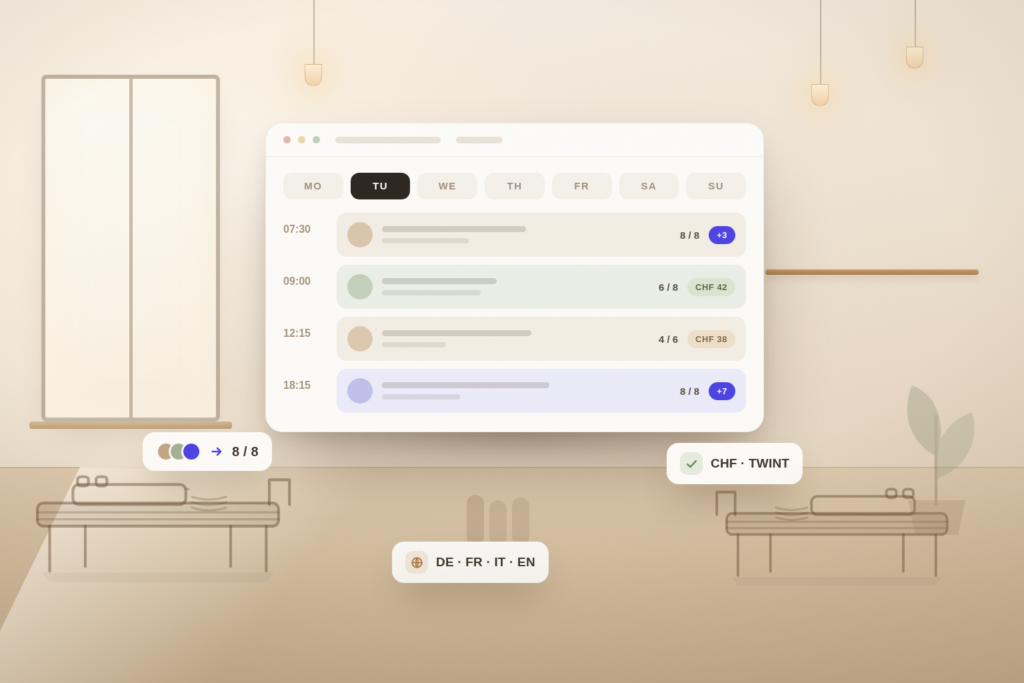
Every pilates and yoga studio eventually reaches the same point: the spreadsheet stops working, the WhatsApp threads become unmanageable, and someone gets double-booked on a Saturday morning. That is when studio owners start looking for software — and immediately discover that most of what they find was designed for gyms with turnstiles, not for a room with eight reformers.
The difference matters more than the feature lists suggest. Gym software assumes a membership that grants unlimited access. Pilates and yoga studios sell finite things: a place on a specific apparatus, at a specific time, drawn from a pack of ten credits that expires in six months. Software that does not model that correctly will make you work around it every single day.
This guide covers what to look for, what it costs in Switzerland, and how to evaluate a platform properly in two weeks.
What Pilates and Yoga Studios Need That Gym Software Does Not
Start by being honest about your operating model. A boutique studio is not a small gym — it is closer to a clinic with a timetable. Classes are small, capacity is hard-limited, instructors are not interchangeable, and clients pay in advance for a fixed number of visits.
That produces five requirements that generic platforms handle badly:
- Hard capacity tied to equipment, not to a room size someone typed in once
- Prepaid credits and class packs with expiry dates, visible to the client and to you
- Waitlists that promote automatically, because a cancelled reformer spot is lost revenue within hours
- Cancellation windows that you set, enforced by the system rather than by an awkward conversation
- Booking pages in the language your clients actually speak — in Switzerland that is rarely just one
A useful test: describe your busiest week to a vendor in plain language, then ask them to show you that week in their product. If it takes more than five minutes to set up, it will take longer every week you own it.
Capacity Is Equipment, Not a Number
In a reformer studio, capacity is physical. Eight reformers means eight clients — no exceptions, no squeezing an extra person in at the back. If your software treats capacity as an arbitrary integer, that is workable. If it also lets you assign a specific machine to a specific booking, that is better: it makes private and semi-private sessions easy to schedule around group classes, and it stops the recurring problem of a duet booked into a room that is already fully occupied.
Mat and yoga classes have softer limits, which creates the opposite problem. If everything in your studio shares one capacity setting, you will end up creating duplicate class types just to hold two numbers. Check that capacity can be set per class, per class type, and per instructor — not once, globally.
Credits, Class Packs and Memberships
This is where most platforms quietly fail. A ten-class pack is not a payment; it is a balance with rules. It expires. It might be restricted to mat classes and not reformer. It may or may not be shareable with a partner. It has to be refunded correctly when a client cancels within the window — and not refunded when they cancel late.
Before you commit to a platform, take your three most common products and check that the software can express them exactly:
- A 10-class pack valid six months, usable for mat and reformer, non-transferable
- An unlimited monthly membership that auto-renews and can be paused for holidays
- A 5-session private pack at a different price, bookable only in specific time slots
- An intro offer — three classes for CHF 49, once per client, never again
Ask specifically what happens to a client credit when you cancel a class. If the answer is "we refund it manually", multiply that by every winter flu season and every instructor absence.
Waitlists That Actually Refill Classes
In a studio with six to ten places per class, one cancellation is between 10% and 17% of that class's revenue. A waitlist is not a nice-to-have — it is the mechanism that recovers it.
The difference between a list and a working waitlist is automation. When someone cancels at 06:40 for a 07:30 class, the system needs to notify the next person, hold the spot for a defined window, and move on if they do not respond. Done by hand, that is a phone call you will not make at 06:40. Done automatically, it is a filled class.
Check three things: whether promotion is automatic, whether you can set the response window, and whether the client can join the waitlist from the same page they tried to book on.
Booking in Four Languages
Switzerland is the reason this matters. A studio in Biel, Fribourg or Chur serves clients who switch languages mid-conversation, and a booking page that only exists in German loses the ones who would rather read French or Italian.
This is not the same as your dashboard having a language toggle. The client-facing side is what counts: the booking page, the confirmation email, the reminder, the cancellation notice, the receipt. Ask to see a confirmation email in French. If the vendor can only show you the interface in French while the automated emails go out in English, you have your answer.
Also check date and currency formatting. "07/09/2026" means two different dates depending on who reads it. Swiss studios need DD.MM.YYYY, CHF with the correct thousands separator, and a 24-hour clock.
Payments, CHF and Swiss Reality
Swiss studios need a payment setup that reflects how clients actually pay: card online, TWINT for a large share of mobile payments, and cash or invoice at the desk for the clients who prefer it.
The important question is not "do you support Stripe" but who holds the money and how quickly it reaches you. Platforms that collect on your behalf and pay out monthly are effectively financing themselves with your revenue. A direct Stripe connection in your own name, with your own payout schedule, is the cleaner arrangement — and it means your client and payment data stay yours if you leave.
Also confirm what happens with VAT once you cross the CHF 100,000 turnover threshold, and whether the system can issue a compliant receipt.
Instructor Scheduling and Pay
Instructors are the second-largest operational cost after rent, and in most studios they are freelancers teaching at several places. The software should let you assign instructors to classes, let them see their own schedule without giving them access to your revenue figures, and record what each class owes them.
Role-based permissions are the feature to test here. A front-desk person needs to check clients in and take payment. A freelance instructor needs their own timetable and attendance list. Neither needs to see your monthly turnover. If the platform only has "admin" and "client", you will end up sharing one login — which is both a security problem and a data-protection one.
What Studio Software Costs
In the Swiss and European market, four pricing models dominate, and they behave very differently as you grow:
- Flat monthly subscription: typically CHF 29–99 per month for an independent studio. Predictable, and the cost does not rise when you have a good month
- Per-active-client pricing: cheap at fifty clients, expensive at four hundred — model it at the size you expect in two years, not today
- Commission per booking: usually 3–8%, sometimes on top of card fees. A studio doing CHF 12,000 a month can pay more in commission than a flat plan costs in a year
- Marketplace listing fees: a percentage of any client the platform "brings", with the definition of brings doing a lot of quiet work
Do the arithmetic on your own numbers before comparing headline prices. At CHF 12,000 monthly turnover, a 5% commission is CHF 600 a month — roughly ten times a flat plan.
The Costs Nobody Quotes You
The subscription is rarely the whole figure. Before signing, get written answers on setup and onboarding fees, minimum contract length and notice period, payment processing markup above the standard Stripe rate, charges for additional staff logins or locations, SMS costs if reminders are billed per message, and whether exporting your own data costs anything.
That last one is the one that catches studios out. If a platform makes it difficult or expensive to export your client list, booking history and outstanding credit balances, you are not a customer — you are locked in.
Marketplace or Your Own Booking Page?
Marketplace platforms list your classes alongside other studios and take a cut of the bookings they attribute to themselves. They can genuinely bring new clients, particularly in dense urban markets.
The trade-off is that regulars who would have booked with you anyway often end up booking through the marketplace, and you pay commission on them for as long as they stay. The marketplace also owns the relationship: their branding, their emails, their app.
The pragmatic position for most independent studios is to own the booking page — on your own domain, in your own branding, linked from your Google Business Profile — and to treat marketplaces as an optional acquisition channel rather than the core system.
How to Run a Two-Week Trial Properly
Most studio owners sign up for a trial, click around for twenty minutes and then decide based on how the interface looks. That tests almost nothing. Instead, rebuild one real week of your studio inside the trial:
- Day 1–2: create your real class types, capacities and instructors, and publish one genuine week of the timetable
- Day 3: build your three actual products — a class pack, a membership and an intro offer — with real prices and expiry rules
- Day 4: book yourself in as a client from a phone, on the public booking page, in a second language
- Day 5: cancel that booking inside the window, then cancel another outside it, and check that credits behave the way your policy says
- Day 6: fill a class, join the waitlist, then cancel from the class and confirm the promotion happens without you touching anything
- Day 7: take a payment, refund it, and see whether the receipt and the payout are what you expected
- Week 2: run your real timetable in parallel with your current system and compare where the admin time actually goes
Send the confirmation and reminder emails to your own inbox and read them as a client would. They are the part of the software your clients see most often, and they are the hardest thing to change later.
Questions to Ask Every Vendor
Bring the same list to every conversation, and get answers in writing:
- Can capacity be set per class and tied to specific equipment?
- How exactly do class packs, expiry dates and refunds work when I cancel a class?
- Is waitlist promotion automatic, and can I set the response window?
- Are client-facing emails available in German, French and Italian?
- Who holds the payments, and how quickly do I receive them?
- What is the total cost at 200 active clients and CHF 15,000 monthly turnover?
- What is the minimum contract and the notice period?
- Can I export my clients, bookings and credit balances myself, at any time, at no cost?
- What are the permission levels for front desk and freelance instructors?
- Where is the data hosted, and does the contract cover Swiss and EU data protection?
- What does support look like in my language, and what are the response times?
- What has shipped in the last six months?
Where StudioPlan Fits
StudioPlan is built specifically for independent Swiss studios: pilates, yoga, and small-group fitness. Capacity is per class, credits and memberships behave the way studios actually sell them, waitlists promote automatically, and the booking page, emails and receipts all exist in German, French, Italian and English.
Payments run through your own Stripe account in CHF, so the money is yours from the start and so is the data. Pricing is a flat monthly subscription rather than a commission on your bookings, which means a strong month stays a strong month.
If you are comparing platforms, the two-week test above is the fastest way to see the difference. Build one real week, in your own languages, with your own products — and see which system disappears into the background.
For a vendor-by-vendor view, see the best studio management software in Switzerland. If you are already on another platform, how to switch without losing a booking covers the move itself.